Home  /  Ops Center

The Flagship Platform

Run Your Entire Operation on One Platform.

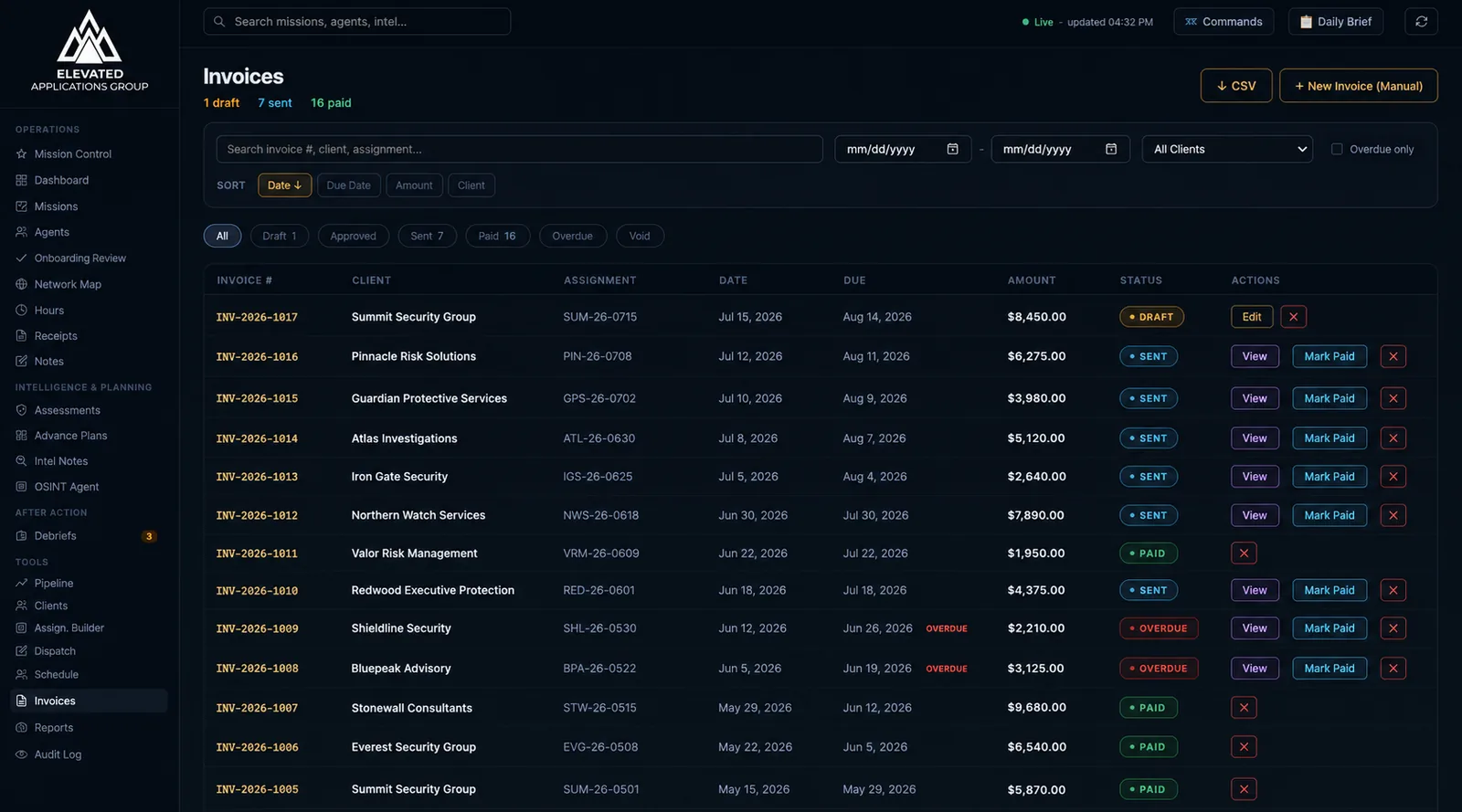
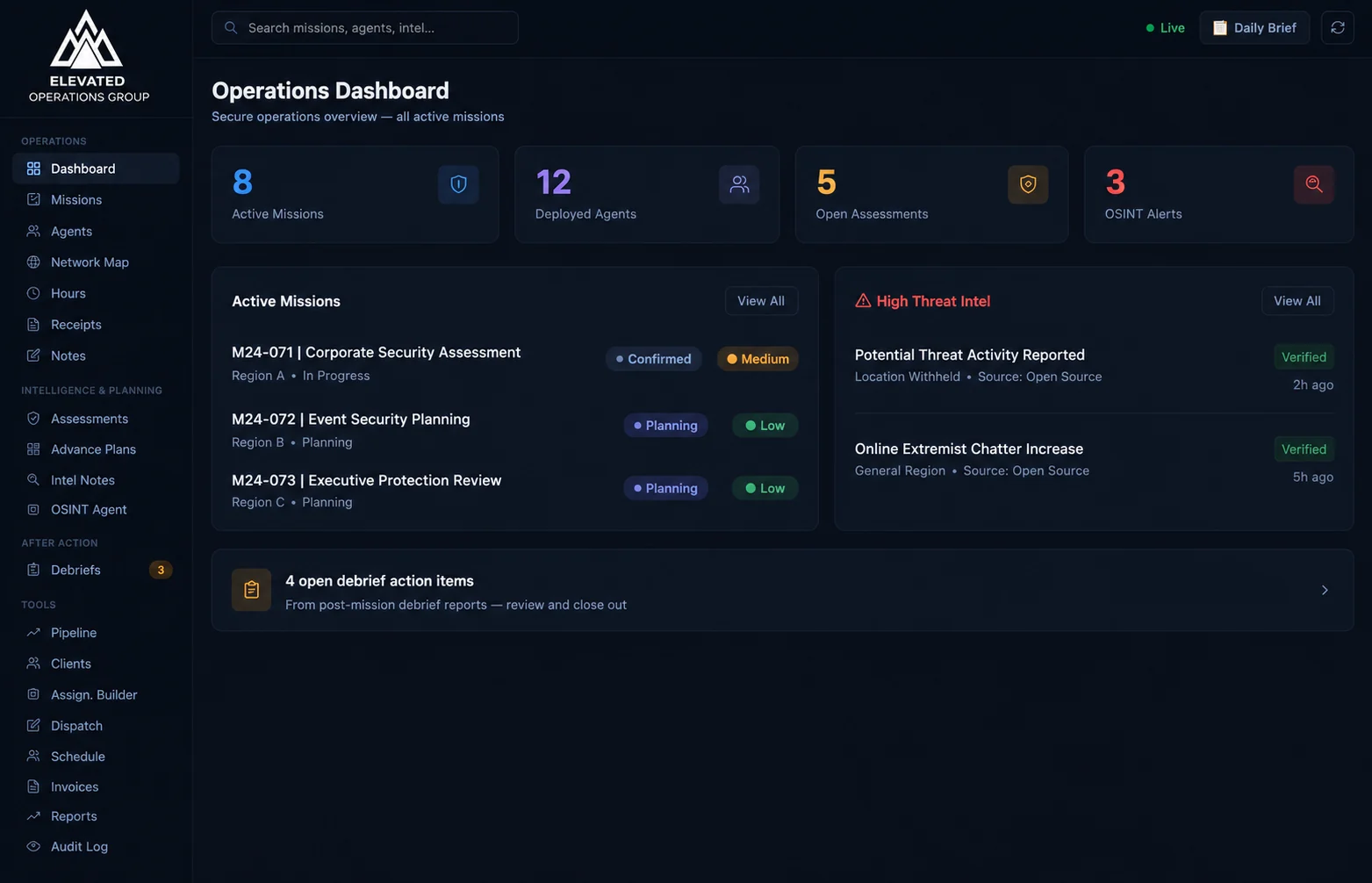
Ops Center is the system we built to run our own protective work — missions, agents, hours, receipts, after-action reports, and invoicing, connected end to end — with an AI operator built in that takes plain-language commands. No more spreadsheets, group texts, and lost receipts. We're opening it to operators who run real work and are tired of duct-taping their back office together.
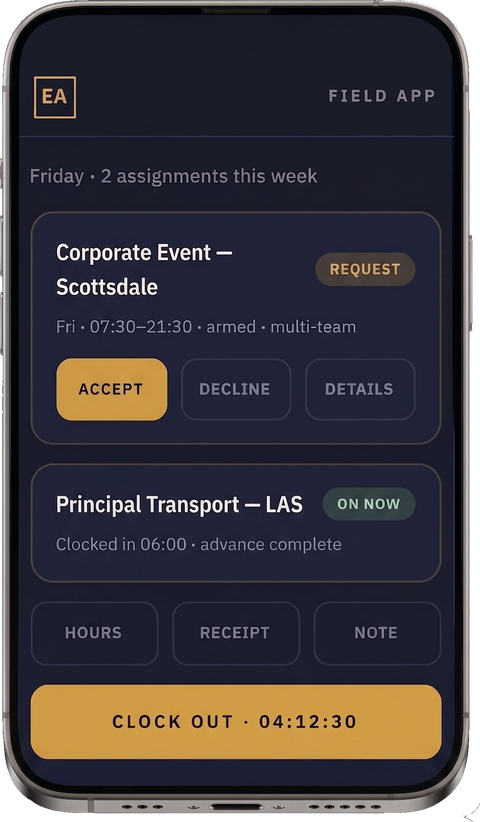
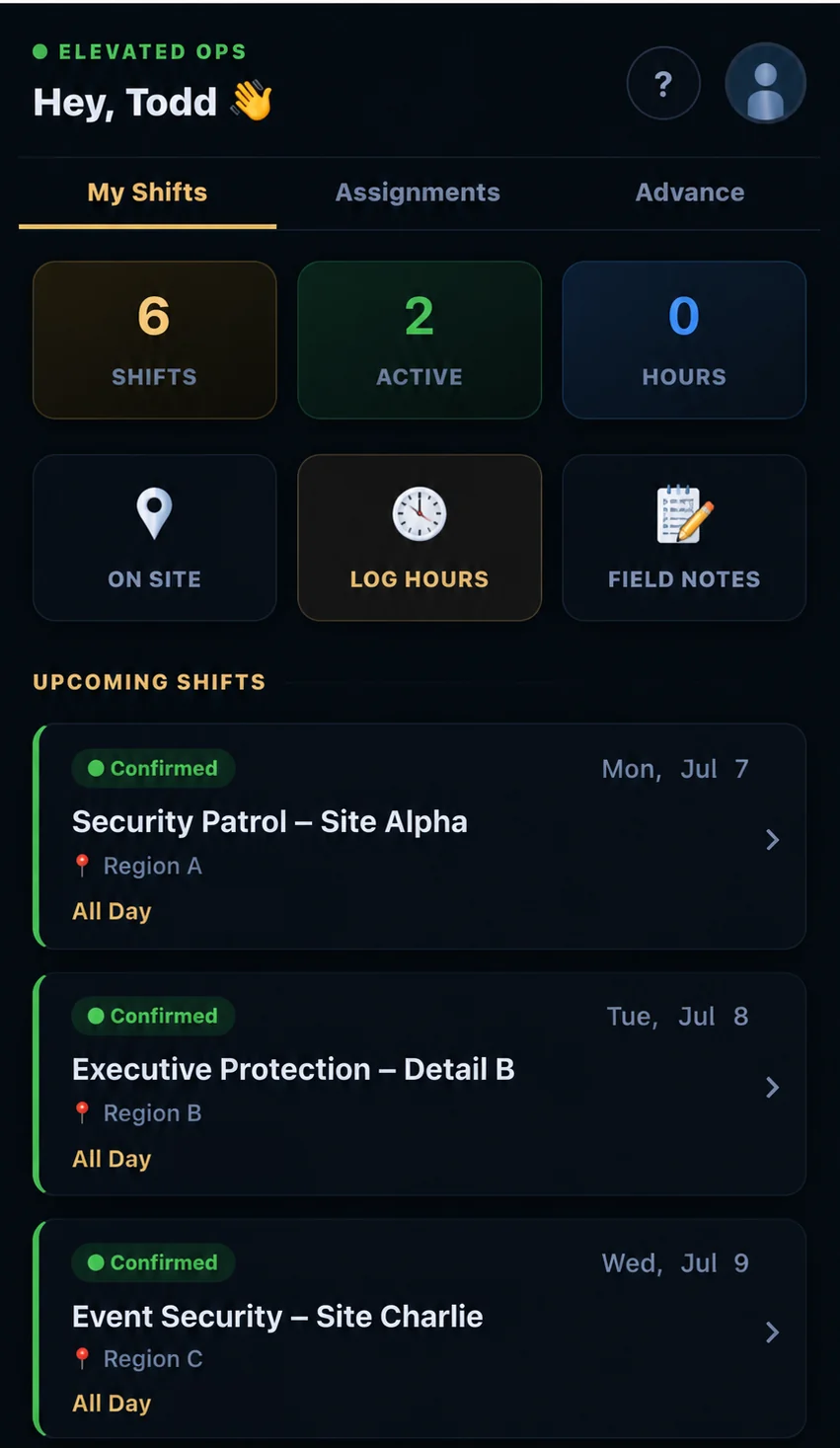
Ops Center field app showing assignments, hours and clock-out

Why It Exists

Protective work is operationally demanding. Most tools aren't built for it.

Scheduling across a 1099 roster. Reconciling timesheets from text messages. Chasing receipts. Writing the after-action report from memory three days late. Generating an invoice that matches what actually happened in the field. Ops Center was built around that reality — by people who live it — not adapted from generic project software.

SYS
The Operating CoreRun the work
01

Mission Management

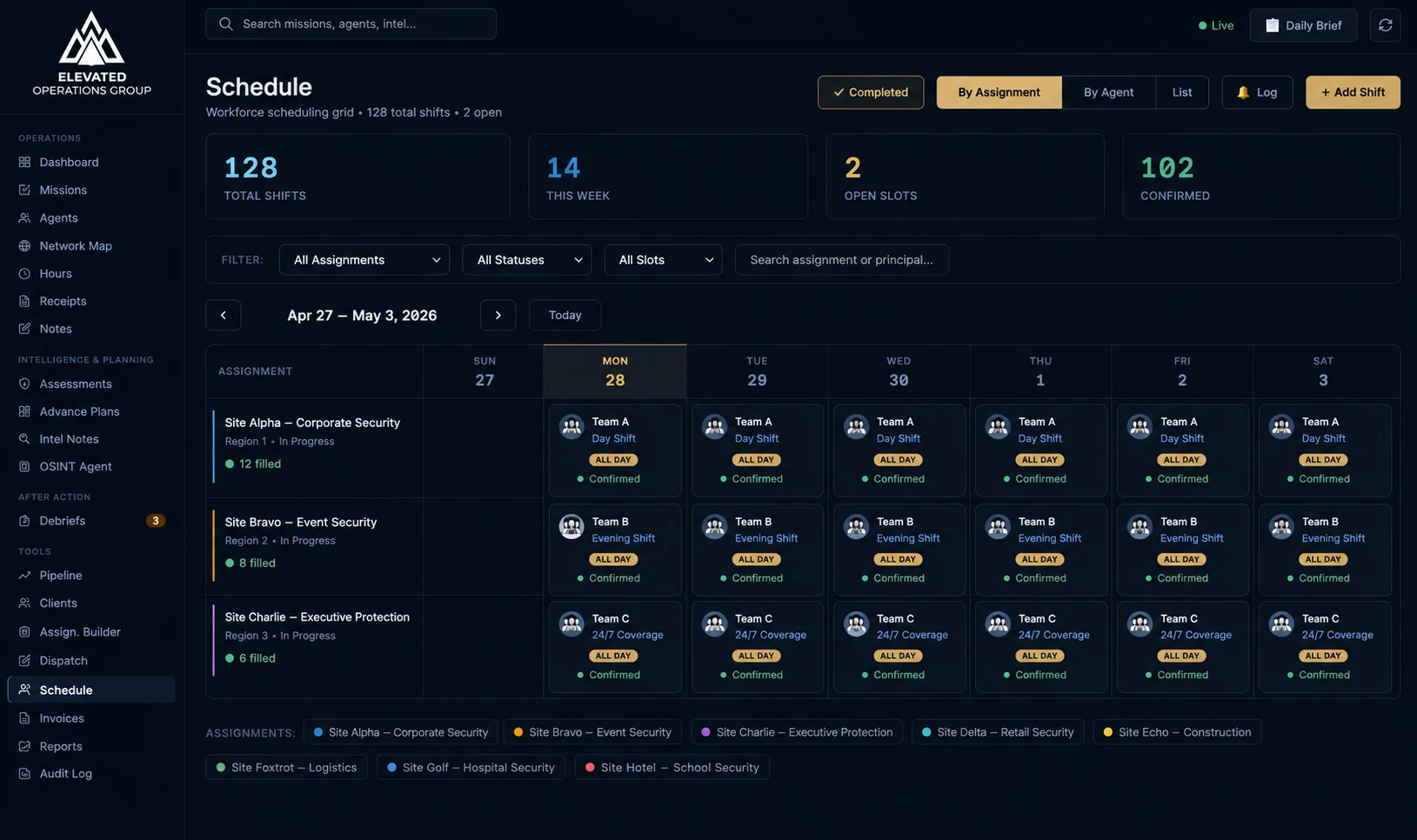
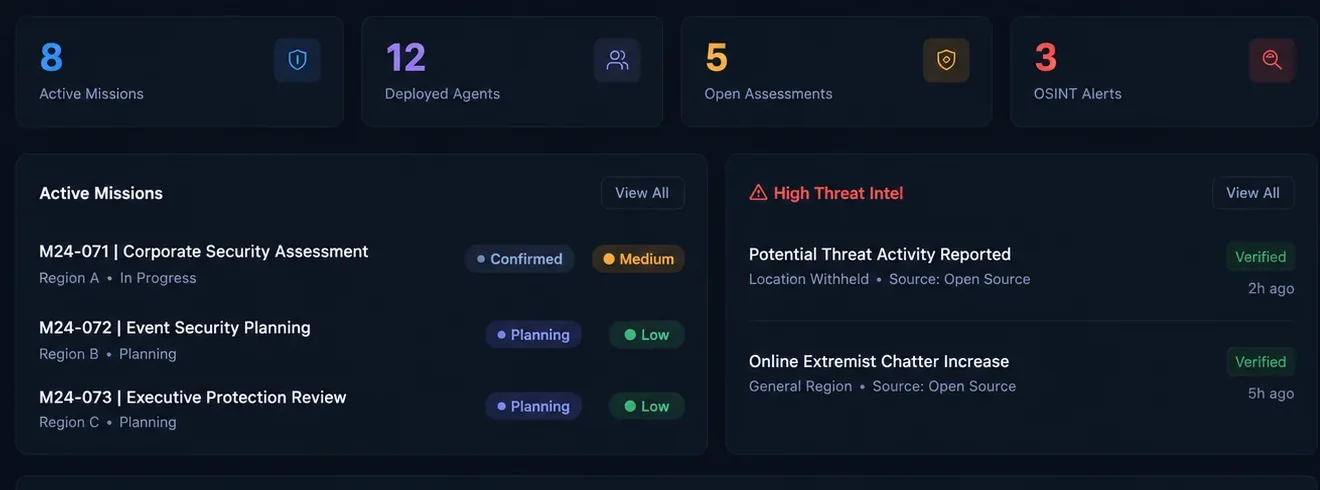
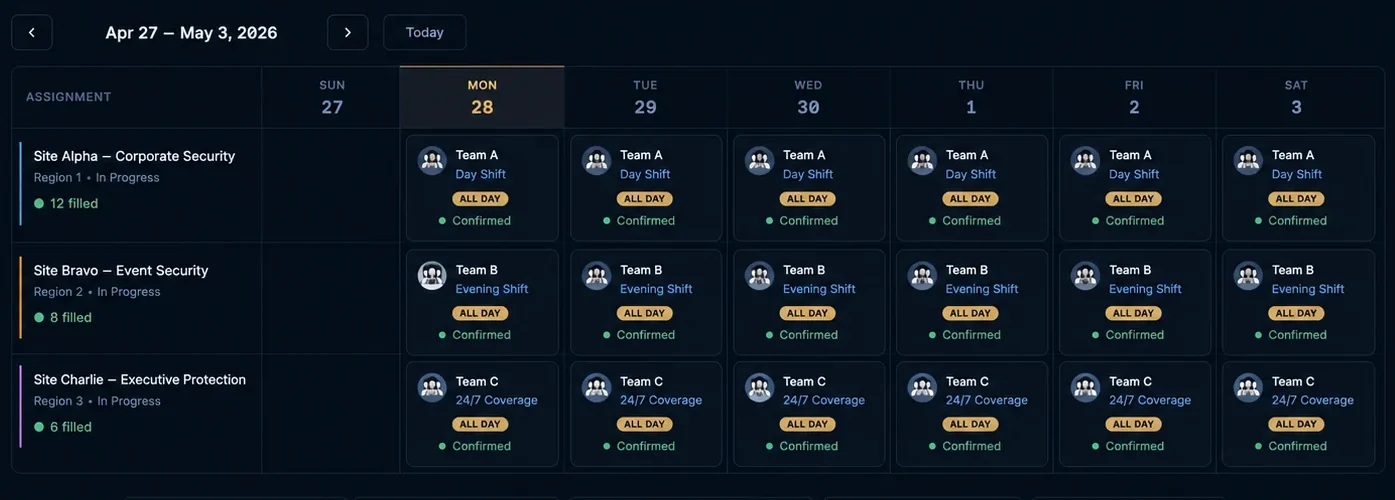
Plan, deploy, and track every assignment from one board. Each mission carries its team, schedule, location, and live status — draft, active, complete — alongside event-level status for multi-day operations.

Everything is editable as the field changes: missions, agents, hours, receipts, and statuses update in real time, so the record always matches reality.

  • Status flow from draft to active to complete
  • Event-level tracking for multi-day operations
  • Edit any detail without breaking the record
02

The Network Map

See your entire footprint at a glance — your agents and partner operators mapped across every state you're licensed in. Know who's available, who's nearest, and who's already deployed before you make a single call.

When a request lands in a city you don't sit in, the map shows the partner who does. You deploy from live coverage, not from memory.

  • Live coverage across your licensed region
  • Agents and partner operators on one map
  • Deploy the closest available resource
03

Agent Roster & Client-Ready Bios

A central roster of every agent — credentials, experience, licensing by state, and availability. Build a professional bio once, with photo and background, and export a polished, client-ready profile on demand.

When a client asks who's protecting them, you send a credential, not a scramble.

  • Profiles with credentials, photo, and experience
  • State-aware licensing on every record
  • One-click branded bio export for clients
04

Timekeeping & Hour Reconciliation

Capture clock-in and clock-out from the field — even from the informal messages your team already sends — and reconcile them into clean, billable hours. Operational-day minimums apply automatically, so what you bill matches your standard.

  • Parse informal clock-in / clock-out messages
  • Automatic operational-day minimums
  • Export reconciled hours for payroll or billing
05

Receipts & Expense Capture

Field expenses get captured against the mission they belong to — fuel, parking, tolls, lodging — the moment they happen. By the time you invoice, nothing is missing and nothing is guessed.

  • Capture receipts against the right mission
  • Categorized and ready for invoicing
  • No more reimbursable costs left on the table
AI, Built InThe force multiplier
AI-Assisted

Tell it what you need. It does the work.

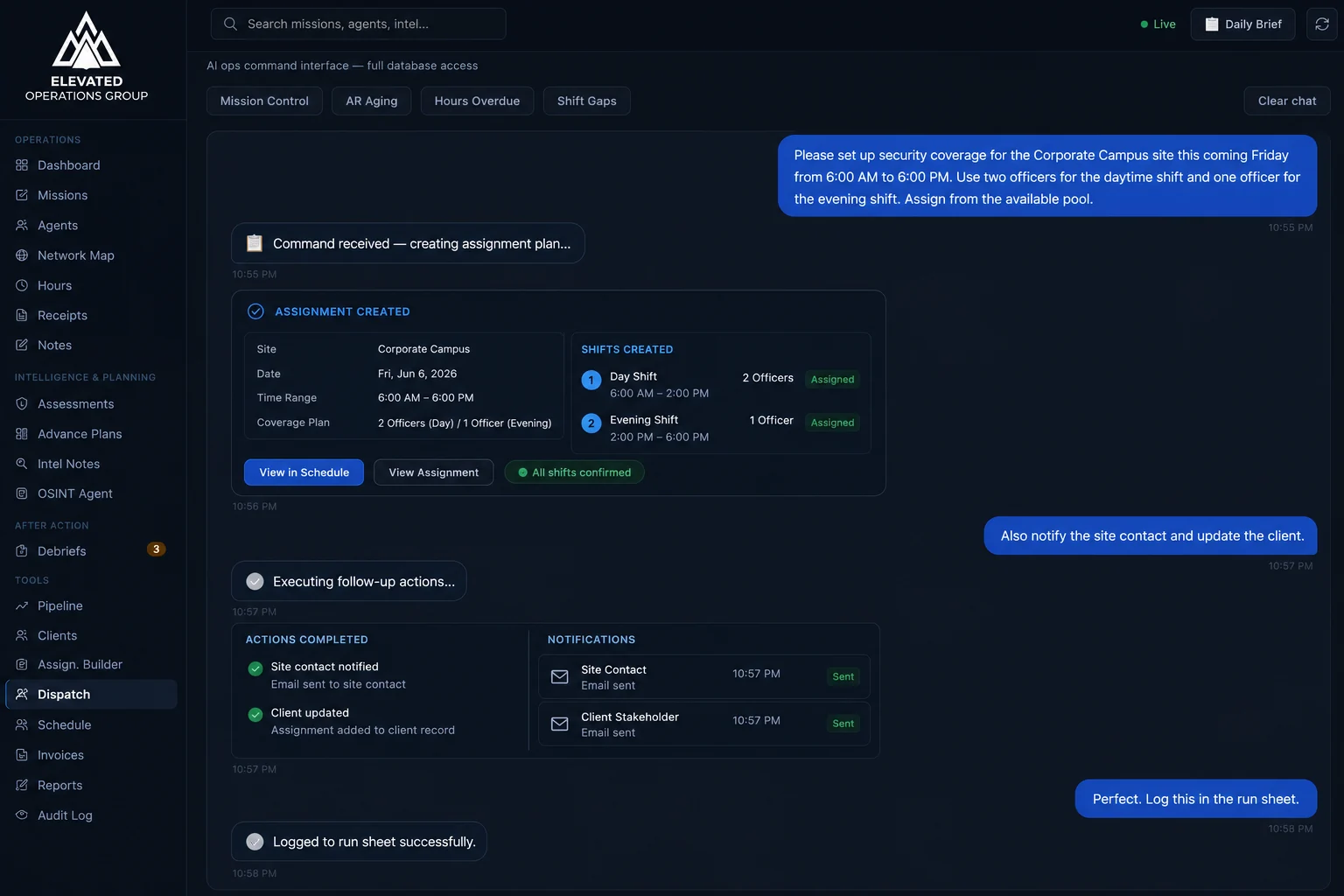
Ops Center has an AI operator built in. Issue a command in plain language or hand it raw notes, and it schedules, drafts, and assembles — then hands it back to you for review. You stay in command; the busywork disappears.

06

Command in Plain Language

Type what you want done the way you'd say it to a coordinator. "Schedule Marcus Reed to the Scottsdale event Friday." "Mark the LAS transport complete and start the AAR." "Who's available in Phoenix this weekend?"

Ops Center reads the request, takes the action, and confirms it. No menus, no forms — just the instruction.

  • Schedule and reassign agents by name
  • Change mission and event status on command
  • Ask about availability and coverage in plain English
07

Build From Text

Paste an agent's background and get a polished, client-ready bio. Describe an upcoming detail and get a structured assignment brief — principal profile, threat picture, itinerary, comms plan. Give it the facts in plain text; it builds the document.

Everything is drafted for your review. The AI does the assembly — you keep the judgment.

  • Raw notes to client-ready agent bios
  • A short description to a full assignment brief
  • Drafted for review — never auto-sent
08

Automated AARs & Assignment Briefs

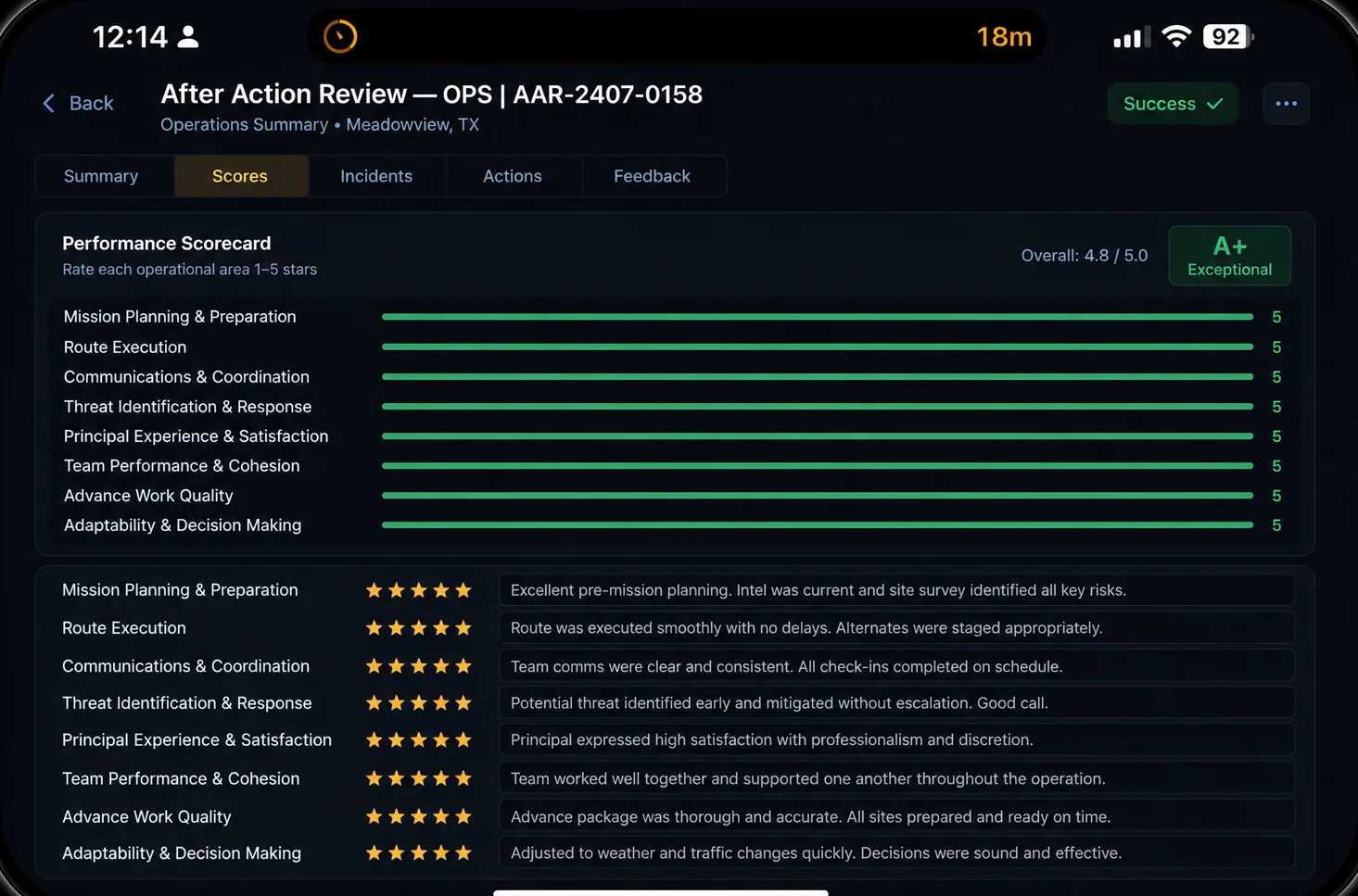
Close a mission and Ops Center drafts the after-action report — team, timeline, hours, incidents, and observations pulled into a structured narrative. Spinning a detail up instead? It drafts the assignment brief the same way: principal profile, threat picture, itinerary, comms plan.

  • After-action reports the moment a mission closes
  • Assignment briefs before a detail deploys
  • Built from real data, reviewed before sending
IntelligenceKnow the ground before you step on it
09

Location-Based Intelligence

Tie intelligence to the place. Drop a mission location and Ops Center pulls the picture around it — nearest trauma center and law enforcement, recent incidents in the area, route and exfil considerations, and venue-specific risk.

Your advance starts with the ground truth, not a blank page.

  • Area risk tied to the mission location
  • Nearest hospital, law enforcement, and safe routes
  • Recent incidents within a set radius
10

AI-Assisted Advances

Turn a location and itinerary into a structured advance — site assessment, ingress and egress, medical and comms plan, threat picture, and contingencies — drafted in minutes instead of hours.

The AI assembles the framework and the known facts; your advance agent verifies it, walks it, and signs off. Faster advances, same standard.

  • Structured advance from a location and itinerary
  • Site, routes, medical, comms, and contingencies
  • AI-assisted — verified on the ground before use
11

Live Intel Searches

Run a live search across open sources for a name, a venue, or an event and get back a synthesized threat-and-area summary with its sources attached — current, not cached.

Built for the moments before you move, when the picture can change by the hour. Every summary is flagged for human review before it reaches a client.

  • Real-time search across open sources
  • Synthesized summary with sources attached
  • Flagged for verification before client use
Connected & PaidOut of the field, into the books
12

Invoicing, Built From the Work

Reconciled hours and captured receipts flow straight into an invoice — no re-keying. Each operating entity carries its own invoice sequence, and a completed mission can move from after-action report to invoice in a single step.

  • Hours and receipts become line items automatically
  • Separate invoice sequences per entity
  • After-action report to invoice in one move
13

QuickBooks Integration

Invoices don't live in a silo. Reconciled hours and captured receipts map to the right income accounts and sync straight to QuickBooks Online — so your books stay current without a second round of data entry.

  • Line items mapped to your income accounts
  • Invoices sync to QuickBooks Online
  • No re-keying between Ops Center and your books

On the Ground

Two Sides. One System.

Ops Center is the command view. The Field App is what your agents carry. What happens in the field updates the desk in real time — and what you assign at the desk lands in their pocket. One loop, no gaps.

The Field App

Everything an agent needs on assignment, in one place — and everything they capture flows straight back to Ops Center.

  • View schedule
  • Accept assignment requests
  • Clock in & out
  • Log hours
  • Field notes & photos
  • Submit receipts
  • Read & conduct advances
  • See assignment details
  • Training Coming soon

See It Live

Try Ops Center Yourself.

This is the real platform, running live. Click in, move around, and see how missions, agents, and the field loop actually work — no signup, no sales call.

Launch the interactive demo →

Best viewed full-screen. Open in a new tab ↗ if the embed doesn't load.

The Difference
We didn't build software and look for a market. We ran the operation, felt the pain, and built the fix.

Who It's For

Built for operators who run real work.

Executive Protection Firms

Manage details, agents, and client deliverables to a standard your principals can feel — without the administrative drag.

Security & Guard Companies

The same back-office grind at higher volume — scheduling, timesheets, invoicing — finally in one connected system.

Secure Transport & Specialists

Tie drivers, routes, hours, and expenses to the missions they belong to, with documentation clients trust.

One
Connected System
Secure
Cloud-Based by Design
Operator
Built & Run, Not Theorized

Early Access

See Ops Center in Action.

We're onboarding a limited group of operators. Request a walkthrough and we'll show you how Ops Center handles your actual workflow — from assignment to after-action to invoice.

Request a Demo